Wednesday, February 28, 2007

Parallels has been updated


parallels


The new version is 2.5 (build 3186), but for some reason I can't seem to get it to download from the Parallels site -- I download part of the file and it just craps out (this happens via the update within Parallels and with a direct site download as well).


Luckily there is a mirror of the application on VersionTracker that downloaded just fine; the link is below.


Link 


2 Joost Tokens up for grabs


joost


As promised, I told you that I would share Joost tokens with my readers as soon as I received them, and I've received two of them, so I want to share them with you.


First-come-first-served and be sure to either e-mail from the address you want the token sent to or provide me with the e-mail address that you want the token sent to as the token gets used regardless of whether or not you receive it. Also, you'll need to provide me with your first and last name as those two items are also required.


hollmanblogs [at] gmail [dot] com


UPDATE: I'm out of tokens 


Tuesday, February 27, 2007

Sprint testing Unlimited plans


 sprint logo


This makes me wish I lived in San Francisco because according to Gizmodo, Sprint will be testing the following unlimited plans to San Francisco customers:


  1. Unlimited voice, data, and messaging for $120 per month


  2. Unlimited voice, data, messaging, and internet access for a pc for $150 per month


Pretty cool.


Link 


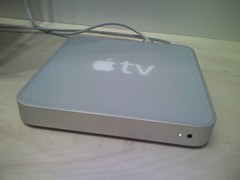
AppleTV delayed until March


appletv


Here's part of the e-mail I got yesterday:


Thank you for ordering the new Apple TV, an easy to use and fun way to wirelessly play all your favorite iTunes content from your Mac or PC on your widescreen TV.


Wrapping up Apple TV is taking a few weeks longer than we projected, and we now expect to begin shipments in mid-March, not in February as originally anticipated.


 Lame -- hopefully the don't lose first-mover advantage to others with competing products.


Saturday, February 24, 2007

Easy non-DRM file format conversion within iTunes


At some point you may find that you don't want all of your music stored in the Apple Lossless format and may want it in MP3 (or vice versa).  Although there are programs that will do this for you, it can also be done from within iTunes.


iTunes logo


As the programs are slightly different for Windows and Mac, I'm going to give you the basic instructions:


  • In the preferences, go to the area that allows you to change the options for Importing (usually under "Advanced")

  • Change the codec (usually selected in the "Import Using") to the one that you want to convert to (i.e., if you wanted to change a bunch of songs from M4a to MP3, you would select "MP3").

  • Save those settings.

  • Highlight in the library the tracks that you want to convert.

  • Go to the "Advanced" menu and you should see any option that says: "Convert selection to <codec you selected>"


Sure, there are other methods, but if you're already using iTunes to manage your music, this one is pretty damn easy. 

Friday, February 23, 2007

What to do when you don't have a HDMI tuner and only one HDMI port on your TV?


If you are like me and you don't have a HDMI tuner that is capable of switching HDMI signals and extracting the digital audio signal for its own use, chances are good that you are sending video via HDMI and audio via optical or coax (optical being the better choice).  There aren't a whole lot of solutions out there that allow you to switch between multiple HDMI inputs and multiple TosLlnk (optical) inputs hooked into a single HDMI and Toslink output set, but I was able to find one switcher that won'e totally break the bank: the Octava 4-port HDMI Switch with Optical Toslink Routing (that's a mouthful, so I'll simply refer to it by its model number, "HDS4").


HDS4 back


As you can see from the picture above, the HDS4 does exactly what I would need it to do: it provides HDMI switching for video and Toslink switching for audio from multiple inputs to one output.  Furthermore, the HDMI ports are backwards-compatible with DVI, meaning that you can plug a DVI-to-HDMI cable in from a DVI source and not have any sort of output problems.  Here's an illustration from the Octava site that illustrates what an implementation might look like:


HDS4 implementation


It is important to note that the HDS4 solution is remote-driven, not an auto-switching solution.  In my case, I'm happy to look at remote-driven solutions because if a product is RF- or infrared-driven, then chances are good that the folks at Logitech have the product in their database of devices that work with my Harmony 890 (I checked, and the HDS4 is indeed in the Logitech product list).


Although a little more expensive than some HDMI switching solutions at $274, I have not been able to find other solutions that also include the optical audio switching, so this seems like the best solution for my particular needs in the short- and long-term (I currently would only need 2 of the HDMI and Toslink inputs) and the fact that it is remote-driven makes it extremely easy to integrate into my existing system with very little trouble.


Take a look at the link below and also note that Octava does package the switcher with cables, which, if 6ft HDMI cables will do it for you, are pretty good deals.


Link  


Screencast about how to use OpenID


OpenID is an initiative to try and solve the ridiculous number of logins and passwords required by disparate sites.  Check out the video as it's one of the better explanations that I've seen.


Link 


Thursday, February 22, 2007

Looking more at Google Apps Premier as a small business solution


Google Apps


E-Mail


It's hard to find any hosted e-mail solution that provides 10gb of storage -- most hosted Exchange solutions run about $10 per month for 500mb-1gb of storage.  If you didn't want to access your mail via the web interface, you could always use an application that can access POP3 -- if you used Thunderbird you would get the same relative experience across all platforms and pay nothing; if you run a Windows environment, Outlook Express would work fine and it's built into Windows at no additional cost; in OSX you could use Mail, which is built into OSX and has no additional cost.  The nice part about the Google service is that you will always have the web interface for access outside of work and even if you do use a desktop client, you can leave original messages on the Google server to allow for easy searching and archiving.  Try to find a hosted solution that gives you 10gb of mail sotrage for less than $5 per month with 99.9% uptime and you're not likely to find many providers.


Mobile E-Mail


Many third party hosting companies offer ActiveSync or GoodLink or Blackberry support for a hosted mailbox for an additional monthly charge per seat -- it seems to average an additional $10-$15 per seat per month.  Google provides POP3 access to your mail, meaning you can configure your Blackberry Internet Service (BIS) to POP in and grab your mail (usually non-Exchange Blackberry plans are cheaper per month anyway), you can forward your mail using the built-in Google forwarding to the Blackberry address provided by your carrier (i.e., myname@cingular.blackberry.net), you can use your Windows Mobile e-mail client to POP in and get your mail, and/or you can download and use the free Google Mobile Java application on any Java-capable phone (Blackberries and Windows Mobile devices included).  Imagine being able to deploy mobile e-mail access to everyone in the organization at zero cost -- even the receptionist with a RAZR could access his e-mail from his phone.


Calendar


The online Google Calendar with sharing allows the same kind of functionality as Outlook's calendaring application, but it does not yet have good integration with a desktop application.  SpanningSync for OSX is the best 2-way sync between iCal and Google Calendar, but there does not seem to be a great solution for other desktop clients and other operating systems.  Mozilla does have some calendar projects that are worth evaluating and hopefully someone will create a 2-way sync for all platforms using one of the Mozilla products.


Google Talk


While nice to have and be able to manage from within the mail interface, it would probably take a policy statement in order to make employees that are used to using AIM or Skype to switch to Google Talk.  I would implement it as an internal-only instant messaging protocol and let employees use other methods and applications to chat with people outside the company.


Global Contact List


The administrator console makes it pretty easy to set up and share global contacts.


Tasks


It's simply not yet implemented in Google Calendar -- they need to get it implemented quickly.


Docs and Spreads


The per seat cost of Word and Excel vs. paying nothing for Docs and Spreads makes this a no-brainer for most small businesses.  Furthermore, the sharing and revision control along with the centralized off-site storage of documents and spreadsheets would be very attractive to me.  The Google products don't do everything quite as well as Word and Excel, but you can't beat the price and I would rather have a small business using Docs & Spreads than looking at an OpenOffice deployment (note: I'm a big fan of OpenOffice and similar products, but I think that many small business employees would be perfectly well served with Docs & Spreads).  The glaring hole right now for Google's business applications is a PowerPoint competitor, but rumor has it that they should be launching that product shortly.


Link  


Google Apps Premier


Google Apps


Google has launched Google Apps Premiere today -- see the link below for the full comparison between the Premier services and the standard Google Apps for your domain service -- and here are some of the big points that differentiate the Premiere service:


  • $50 per user account per year

  • 99.9% e-mail up-time guarantee

  • 10gb of e-mail storage per user account

  • No maximum number of user accounts

  • Text-based advertising is optional


Even though it seems a little spendy, bear in mind that it's $50 per seat per year, meaning that it costs less than $5 per month per seat, which is an amazingly good deal considering everything that is being provided.  I am a little disappointed to see that they are not offering IMAP and/or push-IMAP as part of the Premiere package, but perhaps that will come later.  Interestingly Google Apps doesn't make mention of Blogger hosting a blog on your site even though the functionality is built into Blogger, though they do make mention of Docs and Spreads.


In looking at some of the screenshots, it does appears that the interface for managing Google Apps Premier is much more polished than the previous version that was for Google Apps for Your Domain, but then I logged into my what I suppose is now termed "Standard" account and noticed that the Standard account shares the same, updated interface, which is great. 


Also, be sure to check out the solutions gallery because there are some cool products and services already being offered by 3rd parties using the APIs, and I'm guessing these solutions will continue to grow (maybe someone will even come up with a 3rd party IMAP/push-IMAP solution). 


Link -- Google Apps comparison chart


Link -- Solutions Gallery 


Wednesday, February 21, 2007

New home theatre components and the Logitech Harmony 890


In an effort to clean up component clutter and get the best possible audio and video experience, I elected to get rid of our old component system and install a very streamlined set of components in a cabinet that could be secured next to our TV. It is important to note that I wanted to get rid of the subwoofer that was on the floor, but still be able to add a subwoofer at a later time if I so elected.


Sound


I've been fascinated with single speaker units that produce virtual surround sound and furthermore I did not want to have to dig into the ceiling to install ceiling-mounted surround speakers nor did I want to have surround speakers on pedestals on the floor.  One solution in this category is a series of sound projectors made by Yamaha, but the require a room with a back wall in order to reflect the sound and we don't have that back wall.  Another solution, and the one that I went with, is the SoundMatters MAINStageHD (MSHD) theatre console.  The MSHD is a single-speaker unit that fit perfectly on our mantle, matched the color of our TV, and produces amazing sound for roughly 1/3 the cost of the high-end Yamaha competitor.  Audio inputs on the MSHD include single-pin 1/8 inch; analog, stereo RCA analog, coax digital, and optical digital, which were plenty for me (I should note that the Yamaha offerings have many more inputs and the high-end offering also features video inputs to allow the sound projector to change all inputs simultaneously).  In the future I can add a SoundMatters (or other manufacturer) subwoofer and rear surround speakers if I so choose; I can actually even use another MainStage as the rear surround speakers if I want.


Video


We have a EDTV rather than an HDTV (I believe that means that our TV will display up to 720P rather than 1080P), but it still has a HDMI input for the highest definition possible digital video display (note that while HDMI is super-cool because it carries digital audio and video over the same cable, the HDMI portion of my installation was only used for the video signal to the TV as the MSHD does not support HDMI).  I purchased the cheapest progressive scan Sony 5 disc DVD changer that I could find on Amazon with HDMI output -- Sony DVP-NC85H.  We already had a TiVo Series II 80-hour recorder and a DirecTV box that I wanted to keep to use with the new setup -- unfortunately the TiVo Series II only offers S-video has the best output choice, but I'm just not ready to plunk down the money on the Series III box yet.


Storage


I wanted all of the components, with the exception of the MSHD to fit into a storage unit.  Unfortunately I couldn't find an affordable storage unit that matched our decor that would accommodate the DVD changer.  We basically wound up with a cabinet from Home Depot that is designed to be used with a closet system, but it was only $60, matched the wood finish of our other furniture, and was easily modified with basic tools -- the compromise was that the DVD player had to sit on top rather than inside.  All of the "modifications"; consisted of cutting some round holes in the back of the cabinet to allow cables and wiring to pass in and out of the unit and to promote ventilation.


Controlling all of it


I wanted a solution that would allow everything in the cabinet to stay in the cabinet without opening the doors, which previously would have put into the realm of a semi-custom installation and/or ordering parts from SmartHome.  Luckily the folks at Logitech deal directly with this problem in their Harmony 890 remote, which comes with a radio frequency (RF) to infrared (IR) converter that can control up to 8 devices.  Although reviews were mixed on the setup, configuration, and operation of the Harmony remote, I decided to order it anyway because it was the perfect solution at th perfect price for my setup.  The Harmony remote series is programmed using either Windows or OSX through custom Logitech software: you simply tell the software what components you have and their exact model numbers, and the Logitech software not only programs all of the devices into the remote over USB, but also designs and allows you to design "activities" (read "macros") for certain functions such as watching TiVo and watching a DVD.  For the Harmony 890 series, the wireless extender/converter also has a USB port and must be programmed to control certain devices.


There are a few bugs in the Logitech software, but it wasn't too hard to set everything up; I did have to force quit the software once, but it picked right up where we had left off -- note that you do not want to use this software on a dial-up connection.  Once the remote and the extender were programmed, I had to attached the IR emitters to the IR receivers of the various devices.  It is important to note that there are 4 ports on the back of the extender and each port can control 2 separate emitters and therefore 2 separate devices.  Due to the location of the TiVo box inside the cabinet and the DVD player outside the cabinet, I actually had to use 2 separate ports and emitters in order to control both devices.  For the TiVo unit I covered the emitter in black electrical tape to ensure adhesion and also to ensure that stray signals wouldn't make it out to the DirecTV box (an anciallry benefit of moving the DirecTV box into the cabinet was that I could reposition and tape down the TiVo emitters on the box and not have to worry about it looking bad).


Although the wireless extender is designed to be mounted inside a cabinet, I elected to put it on the mantle directly next to the IR receivers for the TV and the MSHD; there's really no reason why I couldn't have put it in the cabinet, but it's so low-profile that it can hardly be seen and it's very accessible for USB reprogramming if necessary.


The Harmony 890 activities are very cool and the interface actually asks you if everything worked when you hit an activity button -- if something did not work, you can keep hitting &quot;no&quot; and the Harmony will ask you questions to get everything working correctly.  I found out the hard way that it's best to have everything turned off before you start playing with the remote (or even better to turn everything on and then use the single "off&" button at the top of the remote to turn everything off before choosing activities).  Once the remote gets pretty well dialed in, you shouldn't have any problems.  Aside from the easy programming, the remote must have some sort of tilt sensor because it lights up when you pick it up, and the remote has a rechargeable battery that is charged when you put it in the dock -- assuming that we get in the habit of docking the remote, we shouldn't really lose it again.


Conclusion


I'm very happy with our setup for the following reasons:


  • Functionality that you would expect from a custom installation and the ability to reprogram and expand the system indefinitely will the Harmony hardware and software.

  • Clean and elegant looking installation -- the only thing that would have been better was to be able to route all the cables inside the wall, but with zip ties and sheathing, it's not too obtrusive.

  • Excellent audio and video: the MAINStage HD produces absolutely incredible sound for being a relatively small single speaker unit and HDMI even with an EDTV is a world of difference.


For those of you that have the time and energy to perform and installation like mine, you can save a lot of money and get the benefits listed above.  I do have to recommend the Harmony remote, but I will say that although the software is designed to try to cater to the basic user, you need to have some amount of computer skills and a lot of knowledge about your components and how you are installing them in order to not get totally frustrated. 


Link -- SoundMatters MAINStageHD 


Link -- Sony DVD Player via Amazon


Link -- Harmony 890 via Amazon 


Tuesday, February 20, 2007

First week numbers for Barack Obama's social networking site


This is pretty incredible:


  • 2,400 groups

  • 4,000 bloggers

  • 3,000 personal fundraising sites


Apparently the social networking, "mini MySpace" idea can work.


The numbers above are from an article in the Chicago Tribune (link below) and you can read my thoughts about Obama's site here and here .


Link 


Monday, February 19, 2007

What's that hard drive doing inside the AppleTV?


AppleTV


I truly thought it was simply to allow buffering of content that you wanted to watch on your TV, to store frequently watched videos or frequently listened to music, and maybe even to allow you to connect to the iTunes Music store directly to download content.  In effect, I suspected that the hard drive inside the AppleTV was little more than a juiced-up iPod hard drive and that interaction between my main computer and the AppleTV would be very similar to the interaction between iTunes and my various iPods.  By the way, I do still believe this to be the case in the initial version/firmware version of the AppleTV, but I was interested to read a post by Robert Cringley that describes his thoughts about the hard drive.


Essentially Cringley thinks that the hard drive could be used to set up a massive peer-to-peer network:


Here is what I think is happening with the Apple TV hard drive. I
think sometime this summer Apple will ship a firmware upgrade for the
Apple TV and it will suddenly gain an important new capability. That's
when the Apple TV becomes a node on the iTunes peer-to-peer video
network.


If the Apple TV is plugged in it is turned on. Did you notice that?
That means the hard drive will have at least the capability of running
24/7. Now envision a BitTorrent-like file distribution system that is
controlled primarily by iTunes, rather than by you or me. A centrally
controlled P2P system is VERY powerful because it allows for the
pre-positioning of content.


Cringley makes some further interesting points in his article defending his reasoning for AppleTV being a peer-to-peer network and I encourage you to read it.


Here are my thoughts about the AppleTV being a peer-to-peer node:


  • Why haven't they done it yet?  You don't need the AppleTV device to make this happen, they could have done it a long time ago with all of the computers that are running iTunes.


  • If the RIAA is any indication, it seems very unlikely that Apple would be able to develop a secure enough peer-to-peer system to make the MPAA happy enough to support this kind of distribution solution.


  • Pre-positioning on content means using my hard drive space.  If you operate under the theory of Apple seeding content to AppleTV boxes in order to make it easily available on the AppleTV peer-to-peer network, then that means that the content will have to be pre-positioned on AppleTVs throughout the country.  Certainly TiVo reserves a slice of the storage on my TiVo device for its OS and some additional video advertising, but from a percentage basis, that space is relatively small and insignificant when compared to what seeding a high-def video might take up.

  • Cringley makes the point that the only way the AppleTV can be turned off is to unplug it -- the same holds true for the new Airport Extreme, the old Airport Extreme, and the Airport Express; just because the device doesn't have a power button does not make it necessarily designed for peer-to-peer.


I'm not sure as a consumer that pays for his own broadband that I'm okay with participating in a peer-to-peer program using bandwidth that I pay for on a monthly basis and hardware that I paid for in an unsubsidized manner to support a system by which Apple profits.  Quite frankly, I would not care if my purchased movies downloaded just a little bit faster if I had to give up available bandwidth for my other online activities in order to accomplish that -- remember that most home high-speed connection are asynchronous, meaning that stuff downloads much faster than it uploads, so consider the upload (i.e., movie sharing pipe) much smaller than the movie downloading pipe and the fact that you would be making that pipe smaller if you were constantly seeding video and audio content for Apple.


Don't get me wrong, Cringley could be correct, but it's just hard for me to wrap my head around it at this point.


Link  


Sunday, February 18, 2007

Subscribership jumps dramatically because Google started publishing their subscribership numbers for Reader


I noticed that subscriptions to this blog jumped dramatically over the weekend.  While I would like to think that there are lots of new people that discovered this blog, liked the content, and subscribed, I'm talking a 30% increase over the number of subscribers that I had on Thursday.  While I'm sure that some small percentage were those of you switching to my Feedburner feed, which I appreciate, the real percentage change was due to Google finally releasing its subscribership numbers for Reader.  It's also interesting to note that now that the Google Reader numbers are reflected on the FeedBurner analytics that Reader is the single most popular reader used to access my blog.


Thanks to all of you that subscribe. 


Saturday, February 17, 2007

Joost Mac Beta now available for download


Well, it wasn't available yesterday, but it is available today -- Intel Macs only and you have to be a registered beta tester to get it.


The link below will only work if you have beta tester login credentials and I still don't have any invites to share.


Link  


Friday, February 16, 2007

Old Apple Airport Extreme (not refurb) now $129 at Apple Store


If you're looking for a deal on a great 802.11 b/g base station, you can pick up the old Airport Extreme from the Apple Store Clearance area for only $129.  It used to be that you could only configure this with a Mac, but I'm guessing that if you got your hands on a copy of the new version of the Airport Utility for Windows that you could probably set this up and manage it with a Windows machine.


Link  (if the link doesn't work, go to store.apple.com, scroll to the bottom, and click "Clearance" on the left side)


It's the end of the week and still no Joost Mac beta


Last week was the Alpha seeding and there was a promise of a beta this week; here's the quote from the Joost blog posted on 2/7/07 regarding the Mac Alpha release:


Do come back next week for the final proper public beta. And if you
where one of the lucky ones - do sent us feedback. We need to confirm
that it works on a wide enough range of hardware and software.


 Anybody know anything about the timeline on this?


Link  


Windows Mobile 2007 Daylight Savings Time software update


I don't know why Microsoft has to make this so complicated, but they've got a whole few pages of instructions on how to update your Windows Mobile device for the Daylight Savings Time change that occurs this year and potentially will screw up your computer and device if you don't apply the patch.


In the interest of saving you a bunch of time, I'm boiling down the links for you:


  • Visit this link on your mobile browser to download the software over-the-air: http://www.microsoft.com/windowsmobile/default.mspx

  • If you don't want to go through the pain in the ass of entering that whole link above on your phone, then use this: http://snipurl.com/b8e0

  • If you want to just download the CAB file and install it with ActiveSync on Windows or MarkSync on Mac, click this link

  • If you, for some reason, want a standalone application for Windows to do everything for you, click this link.

  • Note that if you use Outlook for Windows, you should probably also download the application fix by clicking this link.


Ok, once you've figured out the best way to update your Windows Mobile device, then you have to follow these instructions:


  1. Go to Start > Settings > Clock & Alarms > Date and Time tab.

  2. Change the current time zone to any time zone other than the one that is currently selected.

  3. Click Done.

  4. Change the current time zone to the one you want to use.

  5. Click Done.


Why do you have to do all that?  Apparently installing the update is not enough to actually update your device, you actually have to do all that crap above in order to get the update to actually work.


If you need more information, just visit the link below.


Link 


PS -- if you are offering an over-the-air download, either make the URL mobile-friendly (i.e., assume everyone is using a standard, non-QWERTY keyboard) or do yourself a favor and use SnipURL , it's free. 


Bandwagon


Bandwagon logo


Full disclosure: Bandwagon is offering free accounts for 1 year to bloggers that write about their service and provide a link to their site -- details here.


Bandwagon is a service that competes with MP3Tunes, but focuses on trying to do more core features really well as opposed to offering some of the advanced features of MP3Tunes.  Both services provide for unlimited storage of iTunes tracks, but there are some pretty major differences:


  • Cost:

    • MP3Tunes -- unlimited storage for free with restrictions and advertising; $39 per year for unlimited storage with full features and no advertising.

    • Bandwagon -- unlimited storage for $70 per year.


  • Platform:

    • MP3Tunes -- Windows, Mac, and Linux clients.

    • Bandwagon -- Mac client only.


  • What's backed up?

    • MP3Tunes -- free plan backs up all non-DRM music; premium plan backs up all music.

    • Bandwagon -- backs up all music, play count, lyrics, album art, ratings, preferences, etc.


  • Back-up process:

    • MP3Tunes -- software-driven with Oboe Sync; user must define sync frequency.


    • Bandwagon -- softwar-drive with Bandwagon software; sync is event-driven (i.e., Bandwagon will automatically begin syncing withn new music is purchased, ripped, etc.)


  • Streaming your stored music:

    • MP3Tunes -- the premium and free accounts allow you to stream your stored music via a browser on any computer; the premium account also allows you to sream your music on a browser on any web-capable device (i.e., phone, PDA, etc.)

    • Bandwagon -- this is not a feature.


  • User experience:

    • MP3Tunes -- application is similar across platforms.  In comparison to the Bandwagon application, the MP3Tunes application is not nearly as straight forward and might even be a little intimidating to non-technical users.  Check out the Oboe Sync screenshots (scroll down the page a little), which happen to be for the Mac platform, making comparison with Bandwagon pretty easy.

    • Bandwagon -- the application is very Mac-specific, holding with the ease-of-use that I expect from Mac applications; this is likely the result of being very focused on the core philosophy of creating a very simple iTunes back-up solution only for the Mac.  Check out screenshots of Bandwagon.


I'm sure there are other things to compare, but everything above is probably enough to make an informed decision, especially because I've never used any of the Bandwagon software and therefore cannot comment on Bandwagon vs. MP3Tunes, which I have and do use.  Perhaps once I have a chance to use Bandwagon I will post a more detailed comparison.


These seem like the key questions to ask yourself if you are trying to choose between the 2 services:


  1. Do I use OS X exclusively?  If the answer to this is "no," then choose MP3Tunes or some other general back-up solution.

  2. Do I use iTunes?  If you're not using iTunes for your music, MP3Tunes does allow back up of your music from other application and also through a web interface; also, you might want to consider a standard online back-up service that backs up everything on your computer.

  3. Is cost an issue for me?  MP3Tunes works out to around $3.50 per month while Bandwagon is about $5.50 per month.

  4. Do I need the ability to stream my stored music?  If not, then Bandwagon might be a better choice.

  5. Do I want to back up all of my iTunes data, not just the music?  Bandwagon does this, MP3Tunes does not.

  6. Do I care about software complexity and ease of use?  Bandwagon seems damn easy to use vs. MP3Tunes, which is slightly more complex.


Link -- Bandwagon (this will be the main page when they launch on 2/22/07)


Link -- Bandwagon blog (if you want to read about things prior to 2/22/07)


Link -- MP3Tunes 


Thursday, February 15, 2007

Power of the internet -- repairing a Trane XE80 by ourselves


Ok, let me start by saying that I have absolutely no HVAC training and probably even less electrical training; with that said, I do know how to read and can certainly trace lines on a wiring diagram.


Last night I realized it was about 59 degrees in our house and about 20 degrees outside with the outside temperature falling -- not an ideal situation for winter in Colorado.  I held my hand up to a heat register and found that while it was blowing air, it was not blowing warm air, so I turned the thermostat up and went down to look at the furnace and found that the jets that normally are suppsoed to be creating combustion (read "fire") for the heat were absolutely not on and there was no heat around the unit at all.  Furthermore the little LED light was blinking, which did not seem like a good thing.


My wife came home and I told her that we needed to call someone and she was actually the one that decided to Google the problem with the model number of the furnace.  Turns out that this particular error has to do with some sort of open limit switch or some such nonsense.  Essentially what you do is turn off the power to the furnace, find the limit switch on the wiring diagram, and then trace back the wires from the switch, ensuring that each wire is fully seated -- the wiring inside of a furnace uses a bunch of bayonet-type fittings, which means that the female side of the wire needs to be firmly fitted to the male side that is attached to the fan motor, furnace, etc. or you wind up with an open loop.  Additionally, the limit switches themselves look like a khaki-colored dime and are located near the jets; the switches have 2 wires going in with the bayonet-type fitting and there's a little "button" (I use the term "button" very loosely because it is really nothing more than a little piece of thin rectangular plastic sticking up from the middle of the wires that maybe depresses about 1 millimeter when you press it) that you push to reset the switch (or furnace has 2 of these switches and there are apparently usually 2 or more switches depending on the furnace).


The first time we fired the furnace up, nothing happened, so I went back and did an absolutely thorough trace of the wires, finding that there was one fitting that was slightly loose -- I removed the wire and fully re-seated it.  When I turned the power back on, the jets fired up after about 30 seconds and then the furnace shut itself off; I had forgotten to reset the limit switches after reconnecting the wire.  After shutting the power off, resetting the switches, and firing it back up, the furnace stayed on and has been running well ever since.


I can't tell you how happy I am to have heat and to not have spent some ridiculous amount of money for an emergency heating call, and now knowing what was involved in fixing the problem, I would have been very upset in having paid someone to come check wire connections.


I'm not saying that it is appropriate in every situation and I am certainly not saying that there is no danger associated with repairing complex systems in your home, but it may be worth the time to do some searching before you make any calls they next time you have a problem in your own house. 


Wednesday, February 14, 2007

Google responds to everyone bagging on the Valentine's design


The "Google Doodle" as its known is getting a lot of attention today, mainly because it appears that Google forgot a consonant:


Here's what the Official Google Blog has to say about it:


When you look at the logo, you may worry that we forgot our name
overnight, skipped a letter, or have decided that "Googe" has a better
ring to it. None of the above. I just know that those with true romance
and poetry in their soul will see the subtlety immediately. And if
you're feeling grouchy today, may I suggest eating a strawberry.


" . . . true romance and poetry in their soul . . ." -- that's an new one on me.  Anyway, if you stare at your screen long enough so that your eyes get blurry, you can sort of see that the green "L" or maybe you just have to stare long enough to get some true romance and poetry in your soul . . . either way.


Link