Sunday, January 14, 2007

TiVoDecode Manager


I'd heard the news about a month ago that there were some programs floating around that would allow easy decoding of the .tivo format into the .mpg format, but these programs generally were run from the command line on OSX.  In doing some searching -- need to clean out some of the stuff on the TiVo to accommodate new seasons of favorite shows -- I ran across the TiVoDecode Manager, which is essentially a GUI interface to the command line application for OSX.


TiVoDecode Manager is very simple to use: simply determine the IP address and media access key from within your TiVo settings, install the software on a OSX machine hooked into the same network as the TiVo, enter the IP address and media key, and TiVoDecode Manager connects to your TiVo and offers a list of download options.  The software defaults to downloading and decoding files using MPEG-2 native, which is the same CODEC that TiVo natively uses -- I've been using the MPEG-2 and then batch-converting files to MPEG-4 using VLC because it allows me to manipulate lots of options, but it is important to note that TiVoDecode Manager does include the ability to download as MPEG-4 and even to import MPEG-4 files to iTunes once downloaded and decoded.


As part of m quest to digitive video in anticipation of AppleTV, TiVoDecode Manager is an important piece of software in my arsenal.


Link -- TiVoDecode Manager 


Link -- VLC 


It's 9 degrees right now in Centennial, CO


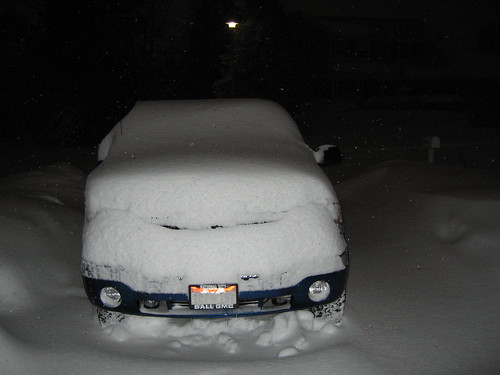
And Weather Underground is reporting that it's -5 degrees with the windchill.  We normally only get a week or 2 of this weather every year, but -5 degrees is damn cold.  It's also snowing right now, which helps you get a little wet and makes it feel even a little colder.


I'll take this cold over shoveling a few feet of snow, although they're saying that we're not going to see temperatures above freezing until Thursday.


Link  


Thursday, January 11, 2007

Venice Project on Parallels


So I got a beta invite to The Venice Project, but I can't get the software to run using Parallels on my MacBook Pro, which leaves me SOL.  I'm pretty sure this has everything to do with how Parallels manages video RAM, RAM, and all kinds of other minimum requirements that the virtual machine doesn't meet.  I guess I'll just have to wait for the OSX version.


Link


 P.S. -- at this point I have no invitation tokens, so please don't ask; I'll let you know if I get any.


Do you get tons of credit card offers in the mail?


I certainly do.  It used to be that you had to call a phone number that was buried in the fine print on the back of those offers, but now there's actually a website that allows you to permanently opt out of those offers that clog your mailbox.


Found this on Lifehacker. 


Link  


Wednesday, January 10, 2007

Cingular 2125 and MissingSync


There's no easy way to synchronize Windows Mobile devices on OSX unless you buy a copy of MissingSync for around $40.  Overall the software works pretty well, but I do have some gripes:


  • Bluetooth sync only works when I put the phone in flight mode.  This is totally strange, but it is a documented problem on the MissingSync site.

  • The MissingSync application bombs out whenever I have iSync open at the same time.  I've been playing around with a Nokia phone I had lying around, so iSync was open a couple of times and the MissingSync definitely did not like that.

  • For some reason all of the mobile phone fields in Address Book map to the "rdo" or "Radio" field on the Windows Mobile device -- I can't figure out a way to fix this and there's no documentation on it that I can find. The biggest problem with this is that when I try to sync the computer and the phone back, the phone wants to sync all of the mobile phone numbers back as "radio" numbers, which causes a sync exception that I do not allow due to the fact that I don't want Address Book to get all screwed up.


  • Some times the sync process just stalls. No reason for it, but it just stalls -- this tends to mostly happen when connecting via bluetooth and never seems to happen when connecting via USB.


I think I'm going to carry around the Nokia 6126 and my 770 for a few days to see how it feels.  The worst thing with the 6126 is that I can't seem to get Gmail Mobile to run on it.


Link -- MissingSync for Windows Mobile 


I think it's time to start ripping all of my DVDs to disk


If the AppleTV shows up some time in February, I think I'll want to have all my DVDs ripped at that point.


Currently I'm using Handbrake on OSX, which gets the DVDs down into about a 700MB file compressed using a MP4 Codec -- anyone have other thoughts on better software for the job?


I might have to go out and get another couple of hard drives to build another mirrored RAID and it looks like my Amazon S3 usage will probably jump dramatically if I back up all the movies there. 


Link -- Handbrake  


AppleTV and the new Airport Extreme


Let's start with the new Airport Extreme, which didn't get much love in the MacWorld keynote, but is a key component to easily enabling AppleTV.  The now old Airport Extreme had some things missing that are fixed in the new Airport Extreme, notably:


  • Built-in security.  Finally a hardware firewall without having to use a separate device.  For wireless there is WPA/WPA2 natively built-in and 128-bit WEP if you still need to use that.  An additional benefit is very detailed MAC address screening with rules definition that looks pretty easy to use.

  • Sharing.  Still only one built-in USB port, but you can add a USB hub to split the port into more functions.  As with the last Airport Extreme, the USB port allows printer sharing, but now also allows disk sharing through the Extreme rather than needing a computer to share a disk, which is really cool.  I'm interested to see more information about the Airport Disk Utility to see if it allows RAID configurations of attached disks, which would be a very useful feature.

  • Form factor.  The shape of the Extreme has changed dramatically, making it look much more like a Mac Mini -- perhaps it's even the same size as a Mini to allow stacking.

  • 3 built-in ethernet ports.  The last Extreme had only one port that you had to put into a hub in order to provide wired network connections, but the new Extreme has a 3-port hub built-in, which is very nice.

  • Mac or PC.  It use to be that you had to have a Mac to properly configure the Airport Extreme, though once it was configured, it worked with any wireless device.  The new Airport Extreme will apparently be configurable from either platform.


  • Speed.  The new Extreme is 802.11 draft-n, which is a much faster wireless networking speed.  In addition, the Extreme supposedly ships with an activation CD that allows you to turn on the 802.11 draft-n networking capabilities in your Intel Core2Duo machine (i.e., my MacBook Pro).  This feature is also very important is it relates to AppleTV


AppleTV is the little box that will sit right next to your television set that will allow you to dump music and video from your computer.  Inside the box is an Intel processor and a 40gb hard drive that will presumably buffer items sent from your Mac in order to ensure that you have uninterrupted clarity of video on your computer.  Although the resolution coming out of the box is only 720P, which has some in the blogosphere up in arms, I am perfectly happy with 720P as a resolution especially as the AppleTV will include a HDMI connection to transmit both hi-def audio and video.  Obviously AppleTV will work most effectively if you are streaming to it with 802.11 draft-n, which would presumably cause the purchase of an Airport Extreme.


Both AppleTV and the Airport Extreme are slated to ship in February and if you order them now, they each qualify for free shipping.  I added both an AppleTV and an Airport Extreme to my shopping cart and came up with a total cost of $478 for both items with no AppleCare protection for either item -- AppleCare protection is available for both items at an additional cost.


Link -- Airport Extreme  


Link -- AppleTV  


Apple had revolutionized cell phones


For those that haven't seen it yet, Apple released the iPhone, which is truly a fundamental change in cellphones.  There are lots of comments on the phone, so allow me to offer my opinions on a few things:


  • No UMTS data.  The main argument here is that Apple released a revolutionary phone, but it's not a "3G" phone because it doesn't have UMTS (the generation beyond Cingular's current EDGE high-speed data) support.  However, the iPhone has yet to be reviewed by the FCC -- that's likely why no one found the filing on their site -- and is not due out until June, so it certainly is possible that Apple could easily add a UMTS radio.

  • Cingular only.  Quad-band GSM automatically makes it a world phone because most of the rest of the world uses GSM; strategically it's the play that I would have made, Cingular is the largest GSM carrier in the US with the best coverage, and Apple has history with Cingular.  All of that having been said, I'm sure that Apple will consider a CDMA version if the demand is there.

  • You can't load your own applications, which makes it not a "smartphone."  Frequently smartphone users are adding applications because the base functionality included with the phone is limited and/or does not suit their needs.  With all of the items included in the iPhone, the standard OSX ease of use, and the implementation of widgets that can presumably be added and removed by the user, it will be interesting to see if there really are a lot of "applications" that are missing.  Also, I think it's a bit premature to say that someone won't figure out a way to add applications to the phone once it's out in the wild.

  • It doesn't support MS Exchange or Blackberry.  Ok, it's certainly not too surprising that it does not support MS Exchange and I guess it might not be too surprising that it does not support Blackberry as it has Yahoo "push" IMAP and presumably will have some sort of "push" solution for .Mac mail.  Additionally, if Gmail were to implement a push IMAP or POP solution, I'm guessing the phone would support that too considering it will support POP and IMAP natively.  Here's my biggest guess: some CEOs, COOs, and executives of companies are going to want this device and that's going to force their IT departments to either open up IMAP and POP access or look at solutions such as Consilient to push their mail.


Here are some points that I've come up with:


  • How is Cingular going to treat this device on their network?  If they class it as a smartphone like the Treo, Nokia 9300, etc., then the data plans will be in the $30 per month range.  If, however, they class it as a phone like the Cingular 2125, then the unlimited data plan will be $19 per month.  Chances are good that Cingular will choose the former because of the profitability of data plans and the fact that they can't hit it for a Blackberry data plan, but it would be a lot more palatable to a consumer like me if they only charged $19 per month for data.

  • What's the price going to be unsubsidized?  While phones like this are great to get new subscribers and to get existing subscribers to come in a re-up their contracts, the unsubsidized price is always nice to know -- I've purchased quite a few GSM phones from Craigslist and from LetsTalk unlocked and have generally been happier with them.  My guess would be that the prices would go up by about $200 per phone if they were purchased without a Cingular contract.

  • .Mac integration.  There's been a lot of buzz about iPhone integration with .Mac, but little was mentioned about this at MacWorld -- I think there is a very good chance that more and more information about .Mac integration will come out as the phone gets closer to actual launch.

  • Insurance.  My guess is that this phone is going to be very hard to insure through normal Cingular insurance and that probably the best bet is going to be to purchase the AppleCare policy with the phone.  I could be wrong about this, but just imagine how expensive it would be to replace the screen on one of these things.


Apple's built a great platform for the future of the iPod as well -- I would guess that it won't be too long before we see next generation iPods that have many of the features that are included in the iPhone, just without the calling capabilities.  If Apple were really thinking, they could replace all of the GSM and EDGE radios with, say, and 802.11n radio and create a pretty effective Nokia 770/800-killer and possibly even a UMPC killer, depending on the number of features they would include in such a device.


This will be very interesting to observe and it will also be interesting to observe how Nokia, Motorola, RIM, and all of the others respond with their offerings.


Link 


Sunday, January 07, 2007

Using the Gmail mobile app on small screen phones


Let's say you want to use the Gmail mobile application on your Java-enabled phone, but you have a really small screen.  Chances are good that you'll download the MIDLET, launch it, and find that the font size is really small and you'll probably stop using it, which is what I did on my Cingular 2125 the first time.  Do not give up so easily!  Here are the steps to fix the font size issue:


  • Launch the MIDLET

  • Sign into Gmail

  • Select "Menu"

  • Select "Go to"

  • Select "Settings"

  • Uncheck "Use Small Fonts"

  • Exit the MIDLET

  • Restart the MIDLET


Assuming that you did everything correctly, you will now have a reasonably-sized font display for your small screen.


Link  


Monday, January 01, 2007

New Year cleaning of my starred items in Google Reader


Ok, so I need to clean out my starred items from Google Reader as they've built up over the last several months.  Generally I star items that I want to share with you, write about in my blog, etc., but if I don't do a big post dump, I'm never going to be able to get through them, so here goes:


  • End-user manifesto.  Found on the Gaping Void, this is a multi-point manifesto that anyone who is creating software, web sites, and really anything that requires and ultimate end user should read.  Certainly the post has a technical/software slant, but it is some points are applicable to things other than software and websites.

  • The Chin.  Seth Godin discusses how people that aren't used to using computers tend to stick out their chins while they are using them and how there is a whole generation of "Chinless" kids growing up behind them.  Here's the one thing that Seth doesn't touch on: every generation eventually becomes The Chin because technology speeds along faster than the innate ability of older people to grasp it.

  • Boot your iPod into diagnostic mode.  I'm not sure that you really would ever need to do this unless your iPod is totally screwed up, but Lifehacker provides instructions on how to put your iPod into diagnostic mode.  Repeat after me: it is not funny to put peoples' iPods into diagnostic mode to fuck with them.

  • Robbie's Assembly Service.  The Business Opportunities Weblog details Robbie McGregor's business of assembling toys for people during Christmas.  Think about how easy it would be to set up a seasonal business like this with some of your friends, especially if you are good at putting together things from Ikea.

  • The Tao of Warren Buffett.  BusinessPundit shares some of the learnings from the book The Tao of Warren Buffett.  I'll have to put this on my list of books to read.  Here's my favorite one from the post: "What we learn from history is that people don't learn from history."

  • 15 Lawyer Tips.  Following his 15 Client Tips post, Matthew Homann at the[non]billable hour has posted his list of 15 Lawyer Tips.  The list of tips is a worthy read for anyone in the law profession and some tips are applicable as simple business tips.  Hey, Matt, you should submit these tips/manifestos to  Hugh over at the gapingvoid .

  • Tips for Dealing with Naive Prospects.  Seth Godin has a great list of tips for dealing with people that are niave about the product that you are offering.  The big takeaway is that intimidation is not going to win you business.

  • Live Concerts on Lala.com.  TechCrunch reports that you can now listen to live concerts on Lala.com, the $1 CD swapping service.  How long until the bands realize that Lala.com has an inventory of their fans that the could sell live CDs to?  At that point, you might as well cut out the middle medium and just sell live tracks to download.  What's that you say?  Selling live tracks isn't what Lala.com does?  It didn't think that serving up live concert recordings was either, but they're doing that.

  • OSXStartup Key Sequences.  Useful if you want to boot from something other than your Mac's built-in hard drive or do other funky things when you boot up.

  • FlickrBooth.  A plug-in for Apple's Photo Booth that allows pictures taken with the built-in iSight to be sent directly to Flickr.  If you didn't understand any of the last sentence, you probably don't use a Mac.

  • Companies Making Holiday Donations on Your Behalf.  Seth Godin details how Young Isaac creates its own holiday cards inside of which are checks for $8 that the person receiving the card can fill in and send to their favorite charity.  Quite the novel idea.

  • DIY Laser Hair Removal.  It doesn't seem like it's been all that long since laser hair removal has been available in clinics and now it's about to be available at home -- the cycle of professional to do-it-yourself becomes shorter and shorter.

  • Phling.  Phling allows you to stream music from your home PC to your phone, which is pretty cool -- I wonder how long the carriers will let this operate through their walled gardens.  Phling also has some social features.

  • iPhoto2Gmail.  Does what it says: allows you to simply send e-mails with pictures directly from iPhoto using your Gmail account.

  • Zappo's 10 Rules for Customer-Centricity.  If you've never used Zappos, it's hard to explain their dedication to customer service, but believe me, this list of 10 rules is a worthwhile read for anyone in the customer service business.

  • MS PST Back-up Program.  Your Exchange account usually only stores 50 or 100MB, which means that if you are not deleting all of your e-mail, you are probably storing it on your hard drive in the form of a PST file.  PST files are notoriously hard to back up and/or forgotten about until it's too late, but Microsoft has released a free tool to address this issue.

  • FLV Online Converter.  YouTube to your iPod through an online interface.

  • 22 Ways to Overclock Your Brain.  Give it a read.

  • 250 Free Office Templates.  Chances are good that if you need a document template, you can find it here.

  • True Cost of Being Overweight.  Yes, the true dollar cost of being overweight can be calculated and Getting Rich Slowly has done it.

  • Windows Local Street Level Views.  You should really check this out -- it shows views of streets as if you were driving through them yourself.

  • Kill It.  Seth Godin points out that Google is shutting down Google Answers because it's not hitting Google's success metrics -- the takeaway is that you have to be willing to kill things that aren't working especially if you're in a business that releases lots of things.

  • 7 Google Reader Tips.  Sure, why not?


And now the starred items area is relatively clean for the new year.

Social commenting on Amazon


AdFreak points out Tuscan Milk on Amazon that has lots of funny reviews from "users."  As AdFreak points out, the reviews seem a little too well planned to be random, but they sure are funny to read.


We continue to hear stories about how people are "gaming the system": using groups of users to rise high on digg, committing click fraud scams, etc.  Is the humor that we see in these "reviews" of this product just another symptom of gaming the system?  How does Amazon react to something like this?  What if this was your product and not something nearly as benign as milk?


Link -- AdFreak


Link -- Tuscan Milk  


Friday, December 29, 2006

Go back up your Gmail


There are reports all over the web about users losing all of the mail in their inbox, which is sort of scary considering how much a lot of us rely on Gmail as a sole mail source.  My suggestion: pick an e-mail client that can use POP, enable POP in Gmail, download all of your e-mail, back up the download however you back things up.  You could probably set up some sort of way to do this daily, weekly, monthly, etc.


Note that Google's PR department is stating that this only affected 60 accounts, but what if one of those accounts had been yours? 


Thursday, December 21, 2006

Askville


Amazon sent me an invitation to their new service called Askville this morning.  Essentially Askville is a social question and answer space that uses questions as the basis for social interaction and discussions.  I like that there are lots of people asking totally free-form questions and getting lots of answers -- I think I'd probably ask questions about good restaurants, places to stay, etc. when traveling to a city I was unfamiliar with just to see what locals or people that have been there before would say.


There is some system of points and levels and "quest coins," but I didn't spend much time reading about any of it -- you can find details here in the FAQ.  I have to guess that Amazon may use some of this content to link through to products that they are selling to provide even more valuable product information and insight.


Check it out.


Link  


Electric Orange


INGDirect just sent me an e-mail about a new paperless checking account that they are offering called "Electric Orange."  As with most of their offerings, Electric Orange offers some pretty aggressive interest rates:


  • 5.30% on every dollar for balances of $100,000 or more

  • 5.05% on balances between $50,000 and $100,000

  • 3.00% for balances up to $50,000


In addition to the aggressive interest rates, Electric Orange also offers free bill pay, free electronic checks (this is a paper-free check solution that sound pretty cool as it's conducted via e-mail and secure hyperlinks), and a debit MasterCard. and free ATM access at 32,000 locations in the US.  In doing a little more digging about the ATMs, it appears that ING will use the Allpoint ATM Network of surcharge-free ATMs.  I searched my zip code with Allpoint and it appears that most of the machines are in Targets, Rite Aids, Costcos, liquor stores,  bars, and other random places -- this is what would make me think hard about opening an account like this as it's hard for me to envision myself doing my ATM banking at Target.


Electric Orange is currently only available to existing Orange customers, so you'll need to sign up for a Savings account in order to be able to enroll in Electric Orange.


Link 


Denver blizzard update


Thanks to everyone for the e-mails and comments.  Below are some pictures from this morning.


Backyard at 8AM:


Backyard 8AM


My truck in the driveway last night around 10PM -- this was after having shoveled the driveway 3 times:


Truck in driveway


Here's our daughter in the driveway standing next to the mountain of snow as we were shoveling this morning:


Child in driveway


There's still about 2 or 3 feet of snow out in the street in front of our house, so I'm not necessarily planning on going anywhere, though it is fun to play with the truck in the snow.  A few of the neighbors have been out in their snow shoes and have told me that the main artery streets are relatively clear, but no one is out driving on them.  At some point I may have to make tracks in the snow so that others in the neighborhood can use them to get out as our residential streets are considered tertiary and are therefor the last streets that the county plows. 


Wednesday, December 20, 2006

WriteToMyBlog responds quickly


Within a few hours of my original post , WriteToMyBlog has updated their site to reflect the changes in the "new" Blogger implementation and I am happy to report that I am having no problems using their service to post.


 Not only did WriteToMyBlog leave a comment on the original post, but they also sent me a personal e-mail addressing my issue.


Bravo! 


By the way, it appears that WirteToMyBlog supports my cateogrizing blog posts, which is a new feature of the "new" Blogger. 


2006 Denver Blizzard


Got some notes about the blizzard, so here are some pictures:


 My backyard at 4:30PM:


4:30PM


Backyard at 8:00PM:


 8:00PM


Basically my chocolate lab and rotweiller are in the snow up to their shoulders. 


New Blogger transition

Ok, so I changed from the "old" version of Blogger to the "new" version of Blogger that used to be the "beta" version of Blogger, but now is not longer in beta. Transfer took quite some time, which I assume has to do with the large number of posts archived in this blog. Here are some other strange things that happened:
  • A bunch of comments that I had already moderated needed to be moderated again -- 28 comments to be exact.
  • Some random posts got syndicated via RSS, so I apologize if you got some posts in your reader from a few months or even years ago.
  • WriteToMyBlog stopped working completely regardless of whether I choose "Blogger" or "Blogger Beta." I'm hoping this is some sort of Google API issue and that WriteToMyBlog will resolve it shortly
I'll keep you posted on other things that I notice, but the fact that I have to use the Blogger editor to publish posts and that the "new" version still doesn't have Technorati tagging support is probably the most annoying.

Major winter storm in Denver

An absolutely massive winter storm has been dumping one inch or more per hour since early this morning in the Denver Metro area -- shoveling out the driveway yields very large mounds of snow on both sides of the driveway and I suppose less snow to shovel tomorrow. To be honest the driveway's been shoveled 3 times today and about 2-3 hours after shoveling, with the exception of the ever-growing mounds of snow, it's impossible to tell that it was done.

I just heard that DIA is not planning on starting normal flight operations until tomorrow night, so I really feel for all of the people stuck at the airport especially this close to the holidays.

The bright side of all this is that with this amount of snow and the forecasted cold temperatures through next week, it will be a white Christmas.

Tuesday, December 19, 2006

Full instructions for Gmail Mail Fetcher


Mail Fetcher is the name of the POP3 access that Google is adding to Gmail accounts and full instructions on how to use it are now available in Gmail help.


I'm just waiting for it to be enabled on my account.


Link 


Monday, December 18, 2006

Google Co-op


Someone sent my a note about Google Co-op, which allows you to create custom search engines and share revenues generated by custom searches.


I had to take a look at some of the featured examples and specifically at the blogger examples to see how people are using this -- looks pretty interesting, but I don't have enough time right this second to see if it's something that I can use.


Check it out if you're interested.


Link 


Google Apps for Your Domain solutions with Google Notifier and Google Mobile


I have some information about Google Apps for Your Domain ("Google AFYD") that I figured other might find useful:


  1. Google Notifier .  Although it appears that it might not support it, if you enter your e-mail address from Google AFYD (i.e., "username@googleAFYDdomain.com") as your "username" in the Notifier application, Notifier will provide you e-mail and calendar notifications as it does for normal Gmail accounts.  The nice part about using notifier is the closer to Outlook experience of notifications for new e-mails and pop-up notifications for Calendar events.

  2. Google (Gmail) Mobile.  Google Mobile supports Google AFYD in much the same way as described above -- enter your e-mail address from Google AFYD as the "username" and Google Mobile works as it does for any other Gmail account.  I have to say that with my Cingular 2125, the Google Mobile experience is less than pleasant and I'm simply going to stick accessing Gmail via my mobile browser using the http://gmail.com address.


I'll continue to post as I learn more about utilizing Google AFYD.

Saturday, December 16, 2006

Google domain registration and Apps for Your Domain tested


So I went ahead and registered RossHollman.com with Google to try out not only their domain registration service, but also Google Apps for Your Domain ("Google AFYD") -- note that I wrote about this service just a few days ago.


Registration took literally around 3 minutes: I signed in with my Google Account, checked the availability of the domain, proceeded through the registration process, and, of course, used Google Checkout to pay for the registration.  Following payment, I clicked the link that had me set up an administrative account and immediately took me to the Google AFYD Dashboard -- Start Page was running immediately, E-mail took about 45 minutes to configure itself, Chat was running immediately, and Calendar was running immediately; Domain Web Pages required my interaction in order to start running.


While waiting for other services to start up, I went to RossHollman.com, which was already active and resolving with DNS -- the page redirected to the default Start Page as I had not yet configured Domain Web Pages.    So, the next thing I did was configure the Domain Start Pages, starting out with the www.rosshollman.com main/index page; I very simply created the main page on the site with Google Page Creator in about 5 minutes.


I left to run some errands, and when I came back, the E-mail  service was running, so I checked out e-mail administration, and was pleasantly surprised to find that for my $10 per year, Google allowed me to create up to 200 unique user accounts (note that you can create user accounts using a spreadsheet to lay out usernames and default passwords, exporting the spreadsheet as a CSV file, and uploading the file to the Google AFYD dashboard) -- quick math tells me that if Gmail offers around 2.5GB of free storage for each e-mail account, that Google AFYD is giving me around 500GB of storage.


It did take me a little while to figure out what some of the Google AFYD services were, but I've got it figured out now, so here's a quick list of services with analogs to common Microsoft products and services:


  • E-mail -- web-based e-mail that is similar to Outlook and the Exchange server that supports Outlook.  Contact sharing is available between users, which is similar to the Outlook Global Address list function.  Calendaring is easily accessible from the e-mail window, though not as directly integrated as Outlook; one nice feature is that the e-mail service is intelligent enough to recognize calendar events within an e-mail and give you the option quickly click and add them to your calendar.  E-mail provided by Google AFYD still runs contextual advertising, which is something not seen in current iterations of Outlook.

  • Start Page -- a landing page for all domain users, which makes it like a very basic version of SharePoint.  The administrator can lock certain areas of the page in order to provide domain-specific data to users while other areas are user-editable.  Presumably once Google launches a storage solution there will be some sort of document sharing interface, but that does not currently exist.

  • Chat -- Google's direct competitor to MSN Messenger with tight integration into the e-mail interface.  Administrators have the ability to restrict chat to other users int he domain or to allow users to chat with others outside the domain, control that is available through Exchange.

  • Calendar -- web-based calendar that is similar to the Calendar included in Outlook and Exchange.  Users can keep multiple versions of calendars with different sharing permissions for different users inside and outside the domain.  All of the standard features of Google Calendar are included int he version implemented by Google AFYD, including SMS reminders for appointments.

  • Domain Web Pages -- primarily for administrators, this is a web-based WYSIWYG web page creator that works in a similar fashion to Microsoft Front Page.


It is important to note that individual domain users can gain access to all Google products such as Docs and Spreadsheets and Google Reader, but there are not currently any sort of administrative controls for these products.


For a startup that's bootstrapping, a small business that just getting off the ground, or even a large family that wants to set up a common domain with individual e-mail addresses (think "hollmanclan.com" with each family member receiving their own address), it's hard to imagine being able to get so much for so little.


Happy to answer any further questions about the service if anyone has any.


Link -- Google AFYD  


Friday, December 15, 2006

Gmail is apparently adding the ability to check other accounts


Only because I just finished the previous post hoping for it, TechCrunch is reporting that Gmail is in the process of activating the ability to check other e-mail accounts using POP.  Here's the screen grab from TechCrunch:


Get mail from other accounts - Gmail


I truly cannot wait until this is activated on all accounts -- once it is, I'll probably go set up my master Gmail account on my personal domain, using Google Apps for Your Domain to do the registration and provide the domain-specific e-mail services. 


Link  


Gmail account consolidation


I've finally tired of checking multiple Gmail accounts, so I sat down to figure out how to get all of my mail coming to a single, master Gmail address -- there are multiple parts to this tutorial, so I apologize for the length.


FIRST -- set up forwarding in the account you want to stop logging into:


  • Log into the Gmail account you want to stop logging into

  • Click "Settings" in the upper right

  • Click "Forwarding and Pop"

  • Click the radio button next to "Forward a copy of incoming mail to . . ."

  • Enter the address that you want the mail to be sent to in the box that says "email address"

  • From the drop-down, decide what you want done with the forwarded mail -- in my case, I selected "delete Gmail's copy" so that no new mail will be added to the account


  • Decide if you want to do the Optional Pop part below, if not, click "Save Changes"


OPTIONAL POP (totally optional) -- set up POP access to get any saved mail out of the account you no longer want to log into and into the single account you plan on using


  • Click the radio button next to "Enable POP for all mail (even mail that's already been downloaded)"


  • Select from the drop-down what you want done with mail that is accessed via POP -- in my case I selected "delete Gmail's copy" so that once all of the old mail is extracted via POP, it is deleted from the account I'm no longer logging in to

  • Click "Save Changes"


SECOND (optional) -- configure your master Gmail account to allow you to respond to e-mails with the address from the account you will no longer log into.  If you have no desire to continue to use the address of the account you are no longer logging into in your replies, but still want mail forwarded from said account, you can skip this step.


  • Log in to the master Gmail account

  • Click "Settings" in the upper right

  • Click "Accounts"

  • Click "Add Another E-Mail Address" -- this will trigger a pop-up window


  • Enter your name as you wish it to be seen by recipients and the e-mail address of the account you are no longer logging into

  • Click "Next Step" -- this will trigger a verification number e-mail to be sent to the e-mail address of the account you are no longer logging in to and change the pop-up screen to an entry screen for the verification number


  • Leave the pop-up screen open and click "Inbox" in the Gmail screen -- if you have configured forwarding correctly, then the confirmation e-mail should be in your Inbox

  • Click the e-mail from Gmail to open it

  • Select the verification number and copy it

  • Go back to the pop-up window and paste the verification number into the "Verification Number" field

  • Click "Next Step" -- the pop-up window will close and you will be left at the Inbox view

  • Click "Settings"

  • Click "Accounts" -- if everything went through correctly, then you will now see another e-mail address listed from the account you are no longer logging into

  • I suggest checking the radio button next to "Reply from the same address the message was sent to.", which will cause Gmail to automatically use the address that the e-mail was sent to when replying.


OPTIONAL OLD E-MAIL IMPORT (totally optional continuation of the Optional POP above) -- this will allow you to pull out all the e-mail saved in the account that you no longer wish to log into and load them into your master Gmail account.  Note that many of these instructions are duplicated from my original post on how to get e-mail out of Ureach and into Gmail.  Further note that these instructions are for Windows.  I would not suggest attempting this process on a dial-up connection and have only tested on broadband.


  •  Download gExodus.  Once done, you will have a zip file — be sure to use the WinZip Extract
    button instead of dragging and dropping the files out of the archive. 
    The first time I installed, I did a drag and drop and the program could
    not find the Python dll file.  Once you have extracted to whatever
    folder you have chosen, go ahead and double-click the gExodus exe file
    to make sure it works.  Keep gExodus minimized throughout this process
    until I call for it in the instructions.

  • Download and install Thunderbird. 
    Once installation is done, launch Thunderbird and cancel out of the
    wizards.  Unless you are going to continue to use Thunderbird, there is
    no reason to waste time filling in any information.  Keep Thunderbird
    minimized throughout this process until I call for it in the
    instructions.

  • Maximize Thunderbird  and follow the Google Instructions to configure it for the account that you no longer want to log into.

  • Once Thunderbird is configured, click "Get Mail" -- if everything is configured  correctly, Thunderbird will download all of the mail from the account you no longer want to log in to

  • The most important thing to do is to located where the Thunderbird
    mail files are on your computer.  In order to do this, you must have
    invisible files and folders activated in your Windows view options and
    you should have the hidden file extension option de-selected (Google
    this if you don’t know what I’m talk about).  I highly suggest locating
    the folder before using gExodus, but it depends on your level of
    comfort.  The files are located here:

    • C:\Documents and Settings\xxxx\Application Data\Thunderbird\Profiles\xxxx.default\Mail\Local Folders\Outlook Express Mail.sbd

    • Note that the red letters represent items that will be unique to your system.

    • Note
      that there will be a regular version of a file and a .msf version of
      the same file in the folder (i.e., “Inbox” and “Inbox.msf”)


  • Maximize gExodus

  • Under “Account Setting” enter your master Gmail address

  • Under
    “Import From” either paste in the path from your Explorer window or
    click the “Browse” button and navigate to the file that you want to
    import.  Note that you should select the file that does not have the
    .msf extension (i.e., “Inbox”)

  • Under “Label”, you can add a
    label if you really want to, but read the example below the box — I did
    not use this when I did my imports.

  • Leave the “SMTP server” alone and click “Import into Gmail” -- Note that if you have a problem with the address that's in there, click the "MX lookup for Gmail" link jsut below the box and enter one of the results that comes up in the browser


  • The “Progress” box will let you know about any errors, when everything is complete, etc.

  • gExodus essentially forwards all of the e-mails in the file you
    have decided to import into your Gmail account — while the To and From
    information is retained, the date information that shows up in Gmail
    will be the date and time the you run gExodus; there is no way that I
    could find to fix this issue.

  • Every e-mail shows up in Gmail as
    an unread e-mail, so you will need to do a select all on every page and
    mark every e-mail as read.


All of the processes and steps listed on this page can be used for forwarding multiple Gmail addresses to a single, master Gmail account; at the time of writing this post, I have 2 Gmail addresses forwarding and incorporated into a single, master account.


It is my hope and I have heard rumors that Gmail is adding POP access support to Gmail accounts so that the vast majority of whole Thunderbird and gExodus process described above becomes obsolete.


As usual, use all the stuff in this post at your own risk and your mileage may vary -- I'm always happy to help with questions.


Good luck! 


Google Apps for Your Domain now offers domain registration for $10 for 1 year


If you are looking at registering a domain, you may want to take a look at using Google to do it.  Simply go to the Google Apps for Your Domain link below, click the "Sign In" link, either set up a Google Account or log in with your existing account, and check domain availability.  Once you register you domain, Google automatically configures their Google Apps such as Gmail and Page Creator to work on your domain for no additional charge.


This is very cool if you wanted to register, say, your name as a domain from a personal perspective or if you were a small business and wanted to set up a quick website and office software system for very little cost.


Link  


Anyone have any Venice Project tokens?


If you have one and are willing to share, I'd love to check it out -- just shoot me an e-mail or leave a comment.


Thanks. 


Here's a surprise: hackers have already "cracked" Vista


While not really available to consumers until the end of January 2007, hackers have already released a solution that allows you to bypass Vista's authentication system.  Essentially the solution consists of a virtual machine that emulates the working of an authentication server for the business and enterprise editions of Vista.   Lots more details in the link below.


Link  


Thursday, December 14, 2006

WriteToMyBlog Blogger display tweaks


I apologize that some of my posts this week had some extra paragraph breaks -- I'm pretty sure this only affects those of you reading via the web and not those reading via syndication.  In any event, when using WriteToMyBlog with Blogger, be sure to log in to your Blogger account, select your blog, click the "Settings" tab, click the "Formatting" tab, scroll down to the bottom, change "Convert Line Breaks" to "No", click "Save Settings", and then click "Republish Index".  If you do not follow the aforementioned instructions, Blogger will add a second carriage return to each paragraph break, which makes the posts hard to read.


Link -- WriteToMyBlog


Link -- Blogger 


Talkster is live


Ok, I'm a little behind on this announcement, but because Talkster was willing to let me participate in the private beta, I wanted to be sure to mention that the Talkster service is now available to the public.  There are lots of improvements since the last time I reviewed the service, not the least of which is the user interface, which now makes it much easier to interact with the site.


It you are looking for a VOIM service, Talkster is worth considering.


Link  


Wednesday, December 13, 2006

MacBook Pro switch


I recently started using a MacBook Pro as my primary computer.  One of the biggest attractions was the fact that I could not only run OSX, but could also run Windows through a variety of different methods.


The MacBook Pro that I am using is the 15" with 2GB of RAM, 120GB hard drive, and all kinds of other nifty bells and whistles -- full specs here at the Apple store, just look at the middle model on the page.  In order to also run Windows, I am using Parallels rather than Apple's Boot Camp solution -- I like that Parallels gives me the ability to run Windows as an application, easily create multiple virtual machines, and does not require restart of the system to switch between OSX and Windows.


One of the interesting experiences in switching to a Macintosh full time is realizing how little I need to do with Windows -- 85-90% of the stuff that I do on my computer I do in OSX and most of it is either no different of a user experience than Windows or is a better user experience than Windows.  Certainly there are some applications that are not made for OSX, some sites (especially corporate intranets) that run more effectively with Internet Explorer on Windows, and some file types (i.e., Outlook PST files) that need to be used with Windows applications for a better user experience.  By the way, if you are looking to get PST files converted into a format that you can use with OSX, Aid4Mail seems like the best program out there for around $50, but note that it is a Windows application, so if you are leaving Windows for good and don't want to run Windows on your Mac, you should do the conversion of the PST files prior to switching.


Another interesting experience for me was realizing how many of the applications that I spend time with on a dialy basis are hosted applications and are, therefore, operating system independent.  If you aren't currently using a lot of hosted applications, you may want to do some Google searches about hosted alternatives to common applications -- in many cases, hosted solutions are cheaper or even free.


Getting Outlook contacts easily into the OSX Address Book challenged me for a little bit until I realized that I could simply install the Plaxo software for Address Book and sync everything together -- this process took less than 5 minutes to download the software and sync all of my contacts to Address Book.  Certainly there are other solutions to getting Outlook contacts into Address Book, but this seemed like the easiest solution. 


The built-in video camera on the MacBook makes me wonder why its' taken me so long to get into video conferencing -- if you know people with iSights and MacBooks, there is no reason not to use iChat for video conferencing because it's just too easy.


I'm sure that I will have more information on this and please feel free to ask any questions as I'm happy to share my experience.


Top 10 business books of 2006 from Amazon

Pretty cool list of the Top 10 Business Books of 2006 from Amazon.com -- don't mind the fact that the list appears on 800-CEO-READ.


Link

Monday, December 04, 2006

"It will be small as shit"

If you read my linkblog, you’ll see that I’ve linked to a bunch of posts about the iPod phone (read “iPhone”) rumors that were supposedly “confirmed” by Kevin Rose of Digg.  To his credit, Kevin has correctly “predicted” many Apple releases, so it would be silly to totally discount everything he has to say.

Thankfully Kevin has succinctly summed up the iPhone with the statement in the title of this post — I sure hope that he’s right so that I can figure out exactly what the statement means.

Link

Tags: , , , ,

Is the PS3 the cheapest Blu-Ray disc player?

It seems that if you can find one of the 20gb PS3s for the retail price of $499, then you’re saving about $500 off the cost of Sony’s first stand alone Blu-Ray player and you get some bonus extras the the stand alone player just can’t give you.  Alternatively you could get the Samsung Blu-Ray player for $666.66 (strange number, huh?), which is only a little bit more than the PS3 20gb, but probably cheaper than you can get one for right now — at least it, unlike the Sony player is available for Amazon Prime.

It’s worth thinking about if you’re an early adopter . . . or you could just wait a few months until production ramps up and more movies are released at which point the market will be flush with PS3s and the stand alone players will likely be much less expensive.

Link

Tags: , , , , , ,

Zeitgest

For those looking to compare and contrast top searches at Yahoo to those at Google, please visit Google Zeitgeist.  Note that the Zeitgeist for 2006 will not be available until, well, the end of 2006 — does that make you wonder why Yahoo can release theirs before the end of 2006?

Anyway, how many times did you search for “Britney Spears”?

Link

Tags: , , , , ,

Yahoo top searches of 2006

It launches at 9PM PST or 1 hour from the time of this post.

Check it out.

Link

Tags: , , , ,

J K J J Shift+S S GS J J

For those of you that use Google Reader, the title of this post makes total sense to you; if you do not use Google Reader, feel free to skip this post or use it to convince you to start using Google Reader.  Below you will find a link to the Google Reader keyboard shortcuts, but the most common that I use are:

  • J — move down a post list
  • K — move up a post list
  • Shift+S — shares or unshares a post
  • S — stars a post
  • GS — goes to starred items

The biggest problem that I have these days is that Google Reader is the only “application” that uses these commands (to be fair, Gmail uses some similar commands for similar things) — I find myself trying to use J to scroll down various other websites and even to scroll through Word documents.

Link

Tags: , , , ,

Frugal Cuisine

Frugal Cuisine is a blog that basically details recipes and tips for eating well while only spending $2–$3 per day on food.  Interesting stuff and some tasty looking recipes.

Link

Tags: , , , , ,

Cool gifts for guys

There are a lot of people out there that can’t come up with cool gifts for guys.  Luckily, Design*Sponge has a post that features a bunch of cool gifts for guys that range from the $20 range up to the several hundred dollar range.

Also check out the November archive for other gift guides that are not necessarily male-oriented.

Link

Tags: , , , ,

Wednesday, November 29, 2006

Why third place might not be the worst place

The Nintendo Wii gaming console sold something like 600,000 units in 8 days at an extremely low price as compared to competing offerings from Sony and Microsoft.  Certainly the Wii has a reduced feature set as compared to the all-in-one home media offerings from Sony and Microsoft, but those that I’ve talked to that have one strictly as a gaming console are very happy with their purchase.  In addition, Nintendo is selling their consoles at a profit while Sony and Microsoft are both losing money on each console sold.

The New Yorker has a great article about the Nintendo Wii being in 3rd place and why that’s not such a bad place to be:

The point is that business is not a sporting event. Victory for one company doesn’t mean defeat for everyone else. Markets today are so big—the global video-game market is now close to thirty billion dollars—that companies can profit even when they’re not on top, as long as they aren’t desperately trying to get there. The key is to play to your strengths while recognizing your limitations. Nintendo knew that it could not compete with Microsoft and Sony in the quest to build the ultimate home-entertainment device. So it decided, with the Wii, to play a different game entirely. Some pundits are now speculating, ironically, that the simplicity of the Wii may make it a huge hit. Nintendo wouldn’t complain if that happened.

In doing some Technorati searching, I found that Ed Sims from BeyondVC had picked up on the same New Yorker story and has some interesting comments about how this can relates to startups:

First, as a startup you have to get away from a feature/function battle because you will always lose against a big boy.  If a customer has already bought a product from an incumbent, they are more often than not willing to stay with that incumbent if they can deliver the extra feature/function soon enough in a good enough way. What I like startups to do is win with the product roadmap and vision.  Show the prospect how you solve their needs today better than the incumbent but more importantly why you are different and how your approach will solve their future needs.  If you can differentiate on this level, it gives you a much better chance to win. 

The moral of the story for every person in business is: Third place is not necessarily a place to avoid especially when competing in a large market and focusing on not being first or second can actually help you focus on core competencies.

Link — New Yorker

Link — BeyondVC

Tags: , , , , ,

Tuesday, November 28, 2006

Quotiki

Quotiki is a wiki that allows you to collect, share, submit, and tag quotes; like Digg, the most popular quotes are pushed to the front page.  Being the quote collector that I am, I plan on definitely using this site.

For some reason there does not seem to be a way for you to subscribe to my quote feed, but I have to assume that’s coming.

Link

Tags: , , , ,

Germophobia mitigation device

I know some people that actually will use the inside of their pocket or shirttail to open a door because of their level of germaphpobia.  Certainly I will open a bathroom door with a paper towel that I have used to dry my hands, but I don’t really have an extraordinarily high level of germaphobia.  In any case, if you are looking for the perfect holiday gift for the germaphobes in your life, you may wish to consider The Handler:


$9.95 buys you the keychain-size, nano technology silver impregnated, door handle hook to feed into your germaphobic lifestyle.

Originally seen at this post on Gizmodo.

Link

Tags: , , , ,

Free security tools

Rob Pergoraro at The Washington Post has a great article about free security tools that you can use to minimize viruses, worms, adware, etc. without paying a thing.

Link

Tags: , , , ,

Generate warning labels

I love the Warning Label Generator, an online tool that allows you to generate custom warning labels free of charge.

Link

Tags: , ,

Vox

Six Apart, known for the Movable Type software, has launched a free, hosted blog platform called Vox that likely is designed to compete with Blogger.  If you’re looking to get into blogging, you may want to check out the service.

Link

Tags: , , , , ,

My WishList

The American Express WishList promotion went live this morning with the first offering being a 37” Sharp HD Aquos LCD for $900 (original retails of $2999).  As usual, there are lots of cool items in limited quantities for very inexpensive prices.

The interface to the Wishlist is much the same as last year, though they have added some refinements, most notably the “My Mobile WishList,” which allows you to attempt to purchase items from your mobile phone via a SMS gateway.  Note that there are certain restrictions to the mobile service and that not all of the items are available via the mobile service.

Link — WishList main

Link — WishList mobile

Tags: , , , ,

Wednesday, November 22, 2006

Happy Thanksgiving!

Happy Thanksgiving to everyone. Light blogging ahead as I’ll be in San Francisco for the holiday.


As a public service to anyone frying a turkey, consider this method from Jalopnik:


Link


Tags: , , , ,

Monday, November 20, 2006

$6,000 Carl's Jr. combo meal

You may not have seen the ad, but Carl’s Jr. is running a television spot with the Maloof Brothers that features a $6,000 combo meal with their $6 Burger, fries, and a bottle of 24–year-old Bordeaux.  The ad is great in that the first time that you see it, you think that it might be a joke or a spoof until they get to the punchline: the $6,000 combo is only available at The Palms.

As usual, the Maloof brothers have created an amazing brand extension for Carl’s Jr. and have integrated one of their main properties, The Palms, into the equation.  Will a massive number of people go The Palms to purchase this combo meal?  Probably not.  Is the advertisement, the concept, etc. new, cool, unique, and extraordinary?  Absolutely!

View the commercial on the Carl’s Jr. site through the link below or via the embedded YouTube.

Link

Tags: , , , , ,

$6,000 Carl's Jr. combo meal

You may not have seen the ad, but Carl’s Jr. is running a television spot with the Maloof Brothers that features a $6,000 combo meal with their $6 Burger, fries, and a bottle of 24–year-old Bordeaux.  The ad is great in that the first time that you see it, you think that it might be a joke or a spoof until they get to the punchline: the $6,000 combo is only available at The Palms.

As usual, the Maloof brothers have created an amazing brand extension for Carl’s Jr. and have integrated one of their main properties, The Palms, into the equation.  Will a massive number of people go The Palms to purchase this combo meal?  Probably not.  Is the advertisement, the concept, etc. new, cool, unique, and extraordinary?  Absolutely!

View the commercial on the Carl’s Jr. site through the link below or via the embedded YouTube.

Link

Tags: , , , , ,

Thursday, November 09, 2006

Stikkit

I use a lot of yellow sticky notes — traditionally I use them to take phone messages and then toss them out as soon as I return a call, do a task, etc.  Occasionally I find stickies on my desk with random bits of information, no clue as to when I wrote them, and with no idea if the stickies are actionable or very old (sometimes I can tell by whether or not the adhesive still sticks whether they are really old).  Other times I’ll leave something on sticky note on my desk and then need it when I’m somewhere else.

Based on all the stuff above, I was thrilled to start using Stikkit, which is a Web 2.0 version of digital sticky notes.  Here are some of the key features:

  • It’s hosted, so anywhere I can connect to the internet, I can get at my sticky notes.
  • Notes are archived, so I don’t have to worry about losing them.
  • Notes can be shared, which is pretty cool — I want to play around with having my receptionist use Stikkit to take phone messages for me.
  • Notes can be tagged to make it easier to find them.
  • Stikkit is ‘intelligent” and categorizes notes based on the information that is input — if I type in a name and a phone number, it catalogues it as an “individual” and if I type in a date and time, it classifies it as a calendar item.
  • There are nifty keyboard shortcuts that make it easy to navigate categories.
  • There’s a nifty landing page that summarizes calendar events.
  • Bookmarkelt with a clipping function for webpages.
  • RSS feed for my notes.

What’s missing?

  • Outlook/Google Calendar/Gmail contact integration — it would be nice if I could dump information that stikkit has collected into my PIM because all of my PIM information is not going to be in Stikkit.
  • Configuration/preferences — it would be nice to be able to change layouts, colors, etc., but not critical.
  • Time zone configuration — for some reason Stikkit thinks I’m creating and modifying things 18 hours prior to the actual time when I do things, which is strange.

Overall Stikkit is a strong product and will be added to my daily arsenal of web tools.

Link

Tags: , , , , ,

Tubular

If you want to be able to easily pull down YouTube videos on your Mac and easily convert them for use on your iPod, you could spend $19.99 when Tubular is released . . . or you could pre-order now for $12.99 . . . or you could click the link below, scroll to the bottom of the blog post that I’m linking to, and pre-order for $9.99.  Even at the full price of $19.99, this software looks well worth it.

Link

Tags: , , , , ,

Black Friday sales

Want a jump on those Black Friday sales that will happen the day after Thanksgiving?  Want to know if you need to air out your sleeping bag and get in line immediately following turkey dinner?

BlackFriday.info is collecting and posting all of the leaked 2006 Black Friday ads before they run.

Check it out.

Link

Tags: , , , ,

Monday, November 06, 2006

Sam Walton's 10 rules for Business

Hey, Wal-Mart’s a damn successful company:

  1. Commit to your business.
  2. Share your profits with all your associates, and treat then as partners.
  3. Motivate your partners.
  4. Communicate everything you possibly can to your partners.
  5. Appreciate everything your associates do for the business.
  6. Celebrate your success.
  7. Listen to everyone in your company and figure out ways to get them talking.
  8. Exceed your customer’s expectations
  9. Control your expenses better than your competition.
  10. Swim upstream.

Originally seen on the Business Opportunities Weblog.

Link

Tags: , , , ,

My link blog is stealing from other authors?

My link blog is not stealing from blog authors and neither is Scoble’s.  Scoble has a post about how someone has accused him of stealing content in his Google Reader link blog and he has some strong thoughts around it that I agree with.  Neither Scoble nor I are re-publishing every article that a blog author posts on his/her blog — we simply post what we like and presumably if you read my link blog and like the content from a particular author, then you subscribe to the author’s blog feed.

Further, this person accuses Scoble of “stealing RSS,” which is laughable as the whole RSS protocol was designed to make it easy to share information — it’s easy for the end user to opt-in, easy for the end user to opt-out, and easy for the author to syndicate his/her information.  Perhaps RSS is referred to as “Really Simple Syndication” for a reason; if it was protocol designed to make it hard to share information, it might be called “Really Restrictive Syndication.”

Here’s the deal: if you don’t like the fact that I’m putting some of your content into my link blog, then send me an e-mail or drop a comment and I’ll remove all of your posts that currently exist in my link blog and never put one of your posts in my link blog again — it will actually be really easy for me to ensure you never are in my link blog again because I’ll probably unsubscribe from reading your blog on a daily basis.  Note that like Scoble’s, my link blog is totally public and runs no advertising that I have control over; in fact, it appears that the link blog preserves the original feed advertising from the original blog from which the posts are pulled.

Link — Scoble

Tags: , , , ,

Online file conversion

TechCrunch has a post about some online file conversion services.  As with many traditional computer user services, online file conversion services are taking the process off of the user’s desktop and onto their own server.  Unlike the traditional user computer method, you have to take into account the time that it takes to upload and download the files that you want converted — if you don’t have a broadband connection, you probably don’t want to be using these services.  Although free for limited numbers of conversions, these services presumably have a revenue model based on bulk batch conversions at some point in the future.

Link — TechCrunch

Link — Zamzar

Link — Media Convert

Tags: , ,

Trademarks

Lots of people don’t know anything about trademarks — some people don’t even know that the little “R” in a circle means that a trademark has been registered.  Seth Godin has a great post that summarizes everything that you need to actually know about trademarks, but as usual, your mileage may vary.

Link

Tags: , , ,

OpenDNS

OpenDNS is just what is sounds like: an open source DNS project.  If you do not know what DNS stands for, then this is probably not for you though they do have great instructions on how to configure various routers and desktop computers to use their service.

Link

Tags: , , , ,

Thursday, November 02, 2006

Gmail java app available for mobile phones

If you are a Gmail user and have a phone that supports Java applications, this Java app will make it much easier to access Gmail than using WAP.  Note that if you have a phone that supports IMAP or POP3, you might want to consider using that instead of the Java application.

Link

Tags: , , , ,